
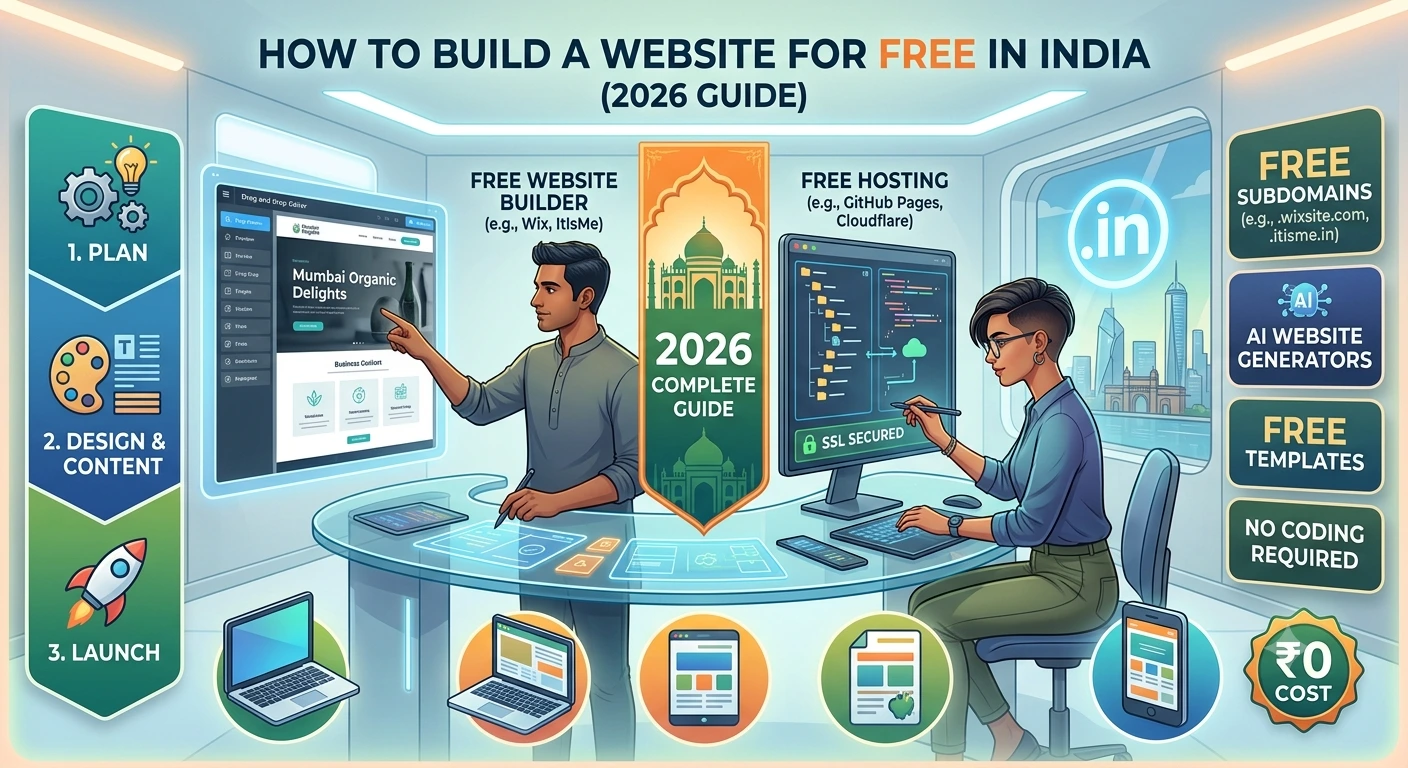
How to Build a Website for Free in India (2026 Guide) | CODO AI Innovations
Want a website without spending money? Here's a practical, step-by-step guide to building a free website in India — platforms, limits, and when it's time to upgrade.
How to Build a Website for Free in India
A practical, no-fluff guide to getting a real website online in India without spending a rupee — and knowing exactly when it's time to outgrow the free tools. Yes, You Can Build a Website for Free — Here's What That Actually Means Every year, more small businesses, students, freelancers, and first-time founders in India start looking for a website without wanting to spend anything on it. The good news: it's genuinely possible. The less-discussed part: "free" comes with real trade-offs — a subdomain instead of your own domain, limited storage, platform branding you can't remove, and design flexibility that runs out fast the moment your needs get specific. This guide walks through exactly how to build a working website for free in India, what each option is actually good for, and the point at which most people realize free tools aren't cutting it anymore. As a web development company in Kerala working with businesses across India, we see both ends of this journey often — the DIY start, and the day it needs to become something more.
Step 1: Decide What Kind of Website You Actually Need
Before picking a platform, get clear on the type of site you're building — it changes which free tool makes sense: A personal portfolio or resume site — lightweight, mostly static content. A small business landing page — needs contact forms, maybe a map, basic SEO. A blog — needs a content management system built for regular publishing. An online store — needs product listings, cart, and payment integration, which is where free tiers get restrictive fastest. Matching the tool to the actual use case avoids the most common mistake: picking a builder because it's popular, then hitting a wall three weeks in because it can't do what your project actually needs. If you're building hands-on coding skills alongside this, CODO Academy's web development training is worth a look — it's built for exactly this stage.
Step 2: Pick a Free Website Builder
For most first-time website owners in India, a no-code website builder is the fastest path to something live. A few practical options worth knowing: No-code drag-and-drop builders — ideal for portfolios and small business pages. You get a free subdomain (like yourname.platform.com), templates, and basic hosting included. No coding required. WordPress.com (free tier) — best suited for blogs and content-heavy sites. More flexible long-term than most drag-and-drop builders, with a steeper initial learning curve. Google Sites — the simplest option for a bare-bones informational page, especially if you already use Google Workspace. Limited design flexibility, but genuinely free with no hidden restrictions. GitHub Pages — free static site hosting, best for anyone comfortable with a little HTML/CSS or wanting a developer portfolio. Each of these gets you a live, working website with zero spend. The differences show up in how professional the result looks and how much you can customize before you hit the platform's ceiling.
Step 3: Get a Domain That Doesn't Look Free — Or Accept the Subdomain
This is where most "free website" plans quietly cost you credibility. A URL like yourbusiness.freebuilder.com works, but it signals to visitors that the site — and by extension the business — hasn't invested in itself. If a custom domain (like yourbusiness.in or yourbusiness.com) is out of budget for now, that's fine; just know it's the first thing worth upgrading once the business can support it, because domain cost in India is genuinely low relative to the credibility it buys back. This is also where a consistent brand identity — not just a domain — starts to matter, since a site's design and a business's visual identity are usually judged together.
Step 4: Add the Basics That Make a Free Site Actually Useful
A website that's live isn't automatically useful. Before calling it done, make sure it has: A clear contact method — a form, WhatsApp link, or email, not just a name and city. Mobile responsiveness — most Indian traffic is mobile-first; check your site actually renders properly on a phone, not just a laptop. Basic on-page SEO — a real page title, a meta description, and at least one clear heading describing what the site is for. Our digital marketing and SEO services page covers what "basic SEO" grows into once a site is generating real traffic. Fast load time — free builders vary a lot here; test yours before assuming it's fine.
Step 5: Know the Point Where Free Tools Stop Being the Right Choice
Free website builders are genuinely the right call for testing an idea, building a personal portfolio, or getting a small business online this week instead of next month. Where they start to hold a business back is predictable: once you need custom functionality a template can't offer, e-commerce beyond a basic product list, real SEO performance instead of a bare-minimum setup, or a brand identity that doesn't look like everyone else on the same platform. That's the point where custom development stops being a nice-to-have and starts being the thing actually limiting growth. If and when you reach it, that's exactly the gap our Custom Website Development service is built for — moving a business off the free-tier ceiling and onto something built specifically around what it needs, without starting from scratch. You can see examples of that kind of work in our portfolio.
Building a website for free in India isn't a compromise — for the right use case, it's genuinely the smart first step. Pick the tool that matches what you're actually building, get the basics right, and don't feel pressure to spend money before the free option has actually run out of room. When it does, you'll know — and upgrading from there is a far easier decision than starting from zero.
Outgrowing your free website and need something built around your actual business? Get in touch with CODO AI Innovations — we'll tell you honestly whether you need custom development yet, or whether the free tools still have room to grow.
Frequently Asked Questions
Keep Reading
View All
Salon & Spa Website Essentials for GCC Malayali Owners (2026)
A practical guide for GCC-based Malayali salon and spa owners on booking systems, gallery display, and review integration for a website that actually converts.
Logistics & Trading Company Websites for Gulf Malayali Businesses
Logistics and trading firms need more than a brochure site. Here's how Kerala-built B2B websites handle quote requests, shipment tracking, and catalogs for Gulf-based Malayali businesses.
Clinic & Healthcare Website Development for Malayali Doctors in the Gulf
Appointment booking, doctor bios, compliance-friendly forms and data residency — the features a Gulf clinic website actually needs, and how Kerala-based teams build them.